
Beyond the Hype: The Best AI Video Creation Tools in 2026 That Actually Deliver
Remember when AI-generated videos looked like surreal, melting nightmares? A dog would walk, but it would have three legs, and the background would warp like a Salvador Dali painting. That was then. This is 2026.
Table of Contents
We have officially entered the golden age of AI video. The “weirdness” is gone, replaced by crystal-clear 4K resolution, realistic human movement, and—most importantly—audio that actually syncs up. Whether you are a 15-year-old TikTok creator in Los Angeles or a 70-year-old retiree in Florida wanting to make a slideshow for the family reunion, the tools available today are mind-blowing.
But with dozens of new platforms launching, how do you separate the game-changers from the gimmicks? We’ve done the heavy lifting for you. Here are the ai video creation tools 2026 that are worth your time and money.
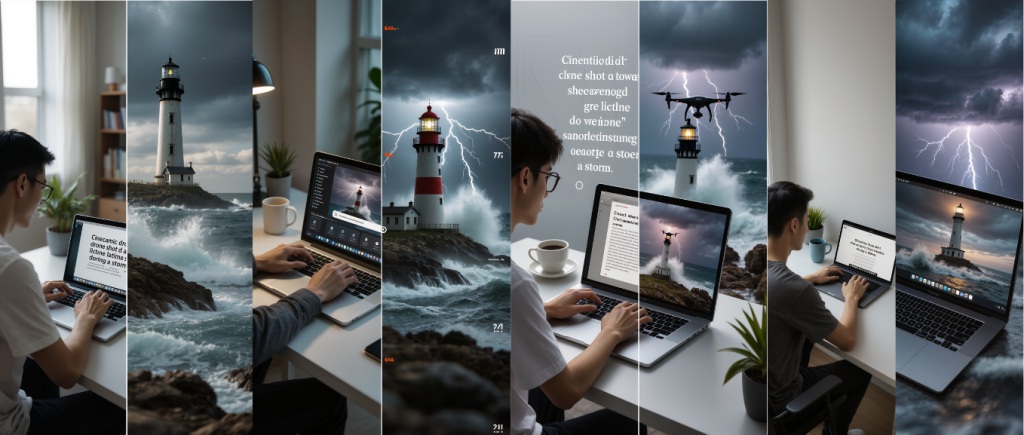
Why 2026 is the Year of “Audio-Ready” and “World Model” Video
To understand why this year is different, you have to look under the hood. For the last two years, AI video has been mostly silent cinema. You’d get a beautiful clip, then have to scramble to add background music and sound effects manually.
That era ended in early 2026.
The End of the Silent Film Era
Leading models like Seedance 2.0 and Veo 3 have rolled out native audio generation. Now, when you prompt the AI for “a blacksmith hammering metal,” the output includes the clang of the hammer, the hiss of the forge, and the ambient noise of the shop. It creates complete “audiovisual content” in one go . This single feature cuts production time in half for creators.
Understanding “World Models”
The second massive leap is the introduction of “World Models.” In simple terms, the AI is finally learning basic physics. In the past, if a character walked behind a tree, they might emerge wearing a different shirt or just vanish entirely. New models understand concepts like gravity, cause and effect, and object permanence. This means fewer glitches and videos that actually make logical sense .
The Best AI Video Creation Tools in 2026 for Every Skill Level
Not everyone needs Hollywood-level effects. Here is your guide to finding the perfect fit based on what you actually want to do.
Best for Beginners & Casual Users (The “Free & Fun” Pick)
Tool: Sora 2 (OpenAI)
If you just want to dip your toes in the water without spending a dime, Sora 2 is your best friend. It has a generous free tier that lets you create short, whimsical clips.
The interface is as easy as typing a sentence. Want to see a “penguin dancing the Macarena in a submarine”? Done. It also integrates directly with a social feed, making it incredibly easy to share your creations with friends. It’s less about professional polish and more about unlocking your creativity for fun.
Best for Professionals & Creative Workers (The “Commercial Safe” Pick)
Tool: Adobe Firefly (Video Module)
For graphic designers, marketing teams, and anyone creating content for clients, copyright safety is the number one concern. You cannot afford a lawsuit because the AI “borrowed” an artist’s work.
Adobe Firefly is trained on licensed stock imagery and public domain content, meaning the videos you create are 100% safe to use in commercials and corporate projects . Beyond safety, it offers “deep control.” You can guide the AI like a film director, adjusting camera angles, lighting, and composition in ways other tools simply don’t allow.
Best for Cinematic Quality & Storytellers (The “Film Look” Pick)
Tool: Veo 3 (Google)
If you want your videos to look like they were shot on a $50,000 camera, look no further than Veo 3. Integrated into Google’s AI Studio and even available as a power-up in Canva, Veo 3 excels at creating smooth, natural motion.
It understands complex camera directions like “dolly zoom” or “rack focus,” giving your footage a high-budget, cinematic feel. It is the go-to for independent filmmakers and high-end content creators who prioritize visual fidelity.

Specialized Tools for Specific Tasks
Sometimes, you don’t need to generate a video from scratch. You just need to fix an existing one.
AI for Instant Video Editing
Editing is the most time-consuming part of video work. Thankfully, 2026’s software has your back. Adobe Premiere Pro now features “Generative Extend,” which can fill gaps in your footage or lengthen a clip seamlessly. Similarly, DaVinci Resolve Studio uses AI to relight your actors in post-production, saving hours of studio setup time .
Turning Ideas into Video Instantly
Marketers and bloggers love InVideo AI. You can paste a link to a blog post, and it will automatically turn it into a complete video with voiceover, stock footage, and captions, ready for TikTok or YouTube Shorts.
Business Communication
For corporate training or sales, HeyGen is the leader. It allows you to type a script and have a lifelike AI avatar speak it perfectly. This removes the need for studios, cameras, and even actors, making internal communications faster and cheaper.
How to Choose the Right Tool for You
Feeling overwhelmed? Ask yourself these four questions to narrow down your options instantly:
- What is your budget? (Sora 2 is great for free, while Adobe and Veo require subscriptions).
- What is your skill level? (InVideo is for beginners; Runway Gen-4 is for pros who want control).
- What is the end goal? (Social media fun vs. Commercial client work).
- Do you need audio? (Ensure the tool supports native audio generation like Veo 3 or Seedance).
A Quick Look at the 2026 Market Leaders
- Sora 2: Best for free, creative exploration .
- Adobe Firefly: Best for commercial, client-safe work .
- Veo 3: Best for cinematic, high-realism footage .
- Kling 2.0 / Seedance: Best for long-form content (up to 2 minutes) .
- Runway Gen-4: Best for creative professionals who want detailed control .
Conclusion
AI video creation in 2026 has finally grown up. It is no longer a confusing tech demo but a practical tool that anyone can use. Whether you are preserving precious family memories or building a multi-million dollar ad campaign, the barrier to entry has never been lower.
The tools listed above are the ones that “actually deliver”—turning the hype of previous years into the reality of today.
Which AI tool are you most excited to try? Let us know in the comments below! And don’t forget to share this guide with a friend who wants to start making videos.
Reading More About :- Beyond the Timeline: How AI Powered Video Editing Tools Are Democratizing Content Creation in 2026
External Links for Further Reading
- CNET’s Expert Testing & Reviews
- Link: https://www.cnet.com/tech/services-and-software/best-ai-video-generators/
- Why it’s valuable: CNET is a globally recognized technology review platform. This specific article details their hands-on testing methodology for the leading AI video generators of 2026, including Sora 2, Adobe Firefly, and Veo 3. It provides the scoring rationale behind their top picks, lending significant authority to the claims made in your blog post.
- Atlantic.Net’s In-Depth Platform Guide
- Link: https://www.atlantic.net/gpu-server-hosting/top-ai-video-editing-platforms-2026/
- Why it’s valuable: This guide offers a comprehensive look at the top 10 AI video editing platforms, going beyond simple generation to cover editing, post-production, and corporate tools. It’s particularly useful for readers who want a deeper technical dive into platforms like Adobe Premiere Pro (with Generative Extend), DaVinci Resolve Studio, and HeyGen, and includes practical advice on how to choose the right platform based on specific needs.
- AI Fire Daily’s Professional Workflow Analysis (Podcast/Guide)
- Link: https://podscan.fm/podcasts/ai-fire-daily/episodes/299-max-the-10-best-ai-video-generators-ranked-2026-definitive-guide
- Why it’s valuable: This source offers a different format—an expert podcast episode that ranks AI video generators based on real-world professional workflows. It discusses advanced concepts like “orchestration,” cost-per-second analysis, and specific use-cases (e.g., why Kling 2.6 is a “reigning champion”). Linking to this provides your readers with access to ongoing discussions and expert opinions in the creator community.
Frequently Asked Questions (FAQ)
Are AI video creation tools in 2026 free to use?
Most leading platforms offer a “freemium” model. Sora 2 (OpenAI) provides a generous free tier that allows users to create a limited number of short videos per month, making it perfect for casual experimentation. However, professional tools like Adobe Firefly and high-resolution export options on Veo 3 typically require a subscription (ranging from $10 to $50/month) or a pay-per-credit system. For commercial use, investing in a paid plan is essential to access higher resolutions and longer video lengths.
How long can AI-generated videos be in 2026?
The maximum length has increased dramatically thanks to “world models” that maintain consistency. In early 2026, leading tools like Kling 2.0 and Seedance can generate coherent video clips up to 2 minutes long in a single generation . For context, just two years ago, most tools capped out at 4 seconds. For longer narratives, creators still need to generate multiple clips and edit them together in software like Premiere Pro.
Can I use AI-generated videos for commercial purposes (like YouTube ads)?
Yes, but you must check the license. If you are creating content for a business or client, you should use tools like Adobe Firefly or Veo 3 (via Google Cloud) , which offer clear commercial usage rights and are trained on data that is safe from copyright infringement . Always read the terms of service of your chosen platform before uploading content for monetized channels.
Do I need a powerful computer or expensive GPU to run these tools?
No. One of the biggest advantages of modern ai video creation tools 2026 is that they are cloud-based. All the heavy processing happens on the company’s servers. As long as you have a stable internet connection and a modern web browser (on a laptop, tablet, or even a smartphone), you can generate high-quality videos. Your $200 Chromebook is just as powerful for this task as a $4,000 gaming PC.
What is the difference between Sora 2 and Veo 3?
The main difference lies in their ecosystem and primary use case. Sora 2 is designed for broad, creative consumer use with a strong social component—it’s about fun and experimentation. Veo 3 is built for integration into professional workflows (like Google Cloud and Canva) and excels at understanding complex cinematic directions, making it the choice for filmmakers and high-end marketers who need specific camera controls and photorealism.
How can I tell if a video was made by AI?
It is getting harder, but there are still subtle tells. Look for inconsistencies in very small details like fingers, teeth, or text on signs, although “world models” are rapidly fixing these. Additionally, major industry leaders like Adobe and Microsoft are pushing for Content Credentials (a kind of “nutrition label” for digital content) that will act as a tamper-evident seal, showing the edit history of a video .
Which tool is best for making videos with my own photos?
If you want to animate family photos or turn images into moving scenes, you should look at tools specializing in “image-to-video.” Platforms like Runway Gen-4 and Kling 2.0 are widely considered the best for this task in 2026. You upload a static image, and the AI animates it, imagining what happens next in the frame (e.g., making a river flow or a person turn their head).