
Unlock the Power of Visuals: How to Use an AI Image Description Tool for Accessibility & Creativity.
We live in a visual world. Every day, millions of photos are uploaded to blogs, online stores, and social media feeds. As a content creator, business owner, or casual social media user, you know the struggle: you have the perfect image, but you need the perfect caption or description to go with it.
Table of Contents
Writing these descriptions manually takes forever. Worse, skipping them means your content is invisible to search engines and inaccessible to people with visual impairments.
Enter the AI image description tool. This technology is changing the game, turning the tedious task of writing alt text into a instant, automated process. In this post, we’ll explore how these tools work, why you need them, and how they can make your content more powerful and inclusive.
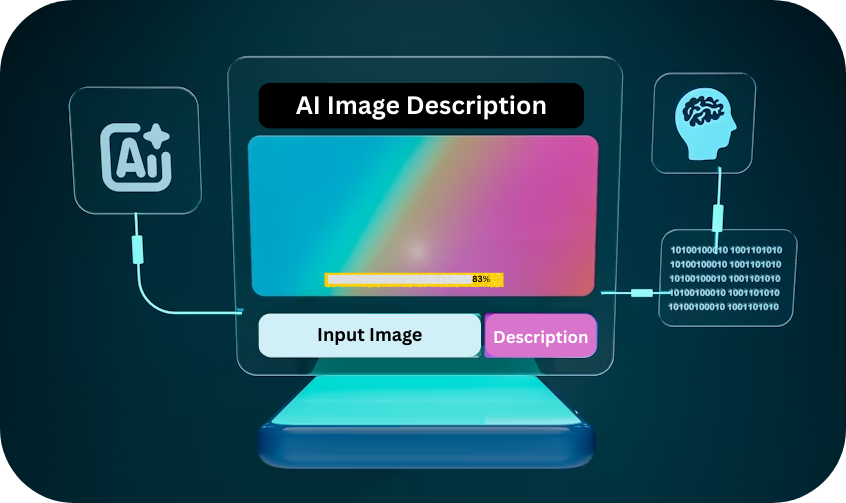
What is an AI Image Description Tool and How Does It Work?
At its core, an AI image description tool is a piece of software that uses artificial intelligence to “look” at a picture and write a description of it in plain English.
The Technology Behind the Magic
You don’t need to be a programmer to use these tools, but understanding the basics helps. These tools utilize a branch of AI called Computer Vision. Think of it as teaching a computer to see.
The AI has been trained on millions of examples of images and their corresponding captions. It analyzes the pixels, identifies objects (like “car” or “tree”), recognizes scenes (like “beach” or “office”), and even detects emotions on faces. It then assembles this data into a coherent sentence.
Beyond Simple Tags: Generating Contextual Captions
Old-school image recognition just spat out keywords. A new AI image description tool provides context. Instead of just saying “man, dog, frisbee,” a good tool will generate: “A young man throws a blue frisbee for his happy golden retriever in a sunny park.”
Top 5 Benefits of Using an AI Image Description Tool
Why should you bother with this technology? Here are five concrete benefits that apply to everyone from teenagers on TikTok to grandparents shopping on Amazon.
1. Supercharging Your SEO Strategy
Google can’t “see” images the way humans do. It relies on text. When you use an AI image description tool to generate accurate alt text, you are literally telling Google what your image is about. This helps your website appear in Google Image Search, driving more traffic to your site. It’s a direct ranking signal that many people ignore.
2. Making Content Accessible for Everyone
The internet should be for everyone. Millions of people who are blind or have low vision use screen readers—software that reads website text out loud. When your image lacks a description, the screen reader says “image” and moves on, leaving the user confused. By providing AI-generated descriptions, you ensure everyone can enjoy your content, following the Web Content Accessibility Guidelines (WCAG).
3. Saving Hours of Manual Work
If you run an online store with 500 products, writing a description for each photo could take days. An AI image description tool does it in minutes. This frees you up to focus on other parts of your business, like engaging with customers or creating new products.
4. Boosting Social Media Engagement
Platforms like Instagram and X (Twitter) allow you to add alt text. While it’s primarily for accessibility, well-written descriptions can also provide context that sparks conversation in the comments. Plus, it’s another field of text that the platform’s algorithm can index to understand your post.
5. Organizing Digital Asset Management
Have you ever tried to find a specific photo in a folder of 10,000? It’s a nightmare. Using AI to describe images as you upload them turns your media library into a searchable database. Later, you can just search for “red car” or “birthday cake,” and the AI will find the right image based on its generated description.
How to Choose the Best AI Image Description Tool for Your Needs
Not all tools are created equal. When shopping for an AI image description tool, keep these factors in mind to ensure you get the best results for your USA-based audience.
Integration: Does the tool work with your favorite platforms? Look for plugins for WordPress, Shopify, or API access if you’re tech-savvy.
Accuracy & Language Nuance: The best tools understand slang and context. Ensure the tool you pick writes in natural, fluent English.
Language Support: Since your audience is in the USA, you need a tool optimized for American English spelling and tone.
Batch Processing: Can you upload one image at a time, or can you upload a folder of 100? For professionals, batch processing is a must.
Practical Use Cases: Where to Implement AI Image Descriptions
Still wondering if this applies to you? Here are three specific scenarios where an AI image description tool is invaluable.
E-commerce Product Photography
Imagine you sell vintage furniture. Instead of writing “brown chair” for every listing, the AI writes: “Mid-century modern brown leather armchair with wooden armrests, placed in a bright living room.” That description sells the lifestyle, not just the item.
Travel & Lifestyle Blogging
Bloggers need to keep the text flowing. Instead of stopping to write captions for 20 photos, let AI generate the first draft. You can then tweak the tone to match your voice, saving massive amounts of time.
Social Media Management
Managing a brand account? Use AI to generate alt text for your Instagram posts. This not only makes your brand look professional but also taps into the accessibility features that platforms are increasingly prioritizing in their algorithms.
A Quick Step-by-Step Guide to Using an AI Image Description Tool
Ready to try it out? The process is usually as simple as 1-2-3.
- Upload: Drag and drop your image(s) into the tool’s interface.
- Process: Let the AI work its magic. This usually takes just a few seconds, even for high-res photos.
- Review & Edit: AI is smart, but it’s not perfect. Read the description. Does it capture the mood? Is the main subject correct? Make any small tweaks to add your personal voice.
- Publish: Copy the description and paste it into the “Alt Text” field of your website CMS, or the “Accessibility” section of your social media post.
Conclusion: Don’t Let Your Images Stay Silent
Visual content is the king of the internet, but without text, it’s a silent king. By integrating an AI image description tool into your workflow, you bridge the gap between what humans see and what machines need to read.
You improve your Google SEO rankings, you make the internet a more welcoming place for people with disabilities, and you save yourself hours of boring, repetitive work.
Ready to make your content smarter and more accessible?
Try one of the recommended tools above with a single image today. You’ll be amazed at how accurately AI can describe your world—and how much time it saves you.
1. For the Technology & AI Research
- Source: Enhancing CLIP with GPT-4: Harnessing Visual Descriptions as Prompts (arXiv / CVF Open Access)
- Suggested Anchor Text: “advanced computer vision models”
- Why it works: This is a peer-reviewed academic paper (ICCV Workshop) discussing how GPT-4 can generate visually descriptive text. Linking to this provides authority when explaining how these tools work under the hood.
2. For Accessibility Standards (W3C)
- Source: W3C Web Accessibility Initiative (WAI) – alt Decision Tree
- Suggested Anchor Text: “Web Content Accessibility Guidelines (WCAG)”
- Why it works: The W3C is the international standard for the internet. Linking to their “Alt Decision Tree” supports your claims about accessibility and screen readers, showing readers that AI tools help meet these official standards.
3. For Image SEO (Google Official Docs)
- Source: Google Search Central: Image SEO Best Practices
- Suggested Anchor Text: “Google’s best practices for image SEO”
- Why it works: This is the official documentation from Google. It explicitly states that Google uses alt text along with computer vision algorithms to understand images. This is the perfect link to back up your SEO claims about ranking in Google Image Search.
Image Ideas with Suggested Alt Texts
Image 1: The “Before vs. After” Visual
- Location in Post: Introduction or Section 1 (What is an AI Image Description Tool?)
- Visual Description: A split-screen graphic.
- Left Side: A blurry or grayed-out image of a dog in a park. Text overlay: “Without AI: [No Description].”
- Right Side: The same crystal-clear image. Text overlay: “With AI: ‘A happy golden retriever running through a field of green grass on a sunny day.'”
- Suggested File Name: ai-image-description-tool-before-after.jpg
- Suggested Alt Text: Split screen comparison showing how an AI image description tool generates detailed alt text from a standard photo, turning a blank field into a detailed caption.
Image 2: The Screenshot (User Interface)
- Location in Post: Section 3 (A Quick Step-by-Step Guide…)
- Visual Description: A clean screenshot of a mock software dashboard. Show a list of uploaded images (e.g., “product1.jpg,” “product2.jpg”) with a column next to them labeled “AI Generated Description” filled with text. Highlight a “Generate All” button.
- Suggested File Name: ai-image-description-tool-dashboard-batch.jpg
- Suggested Alt Text: Dashboard interface of an AI image description tool processing multiple product photos at once, highlighting the batch processing feature to save time for content creators.
Image 3: The Accessibility Concept
- Location in Post: Section 2 (Benefit 2: Making Content Accessible)
- Visual Description: A close-up photo of a smartphone. The screen is showing a website, but overlaid on the image is a graphic representation of sound waves or a braille icon. This represents a screen reader reading the alt text aloud.
- Suggested File Name: ai-image-description-accessibility-screen-reader.jpg
- Suggested Alt Text: Smartphone displaying a website with a soundwave graphic overlay, symbolizing a screen reader using AI-generated image descriptions to make content accessible for visually impaired users.
Image 4: The Infographic (SEO Cycle)
- Location in Post: Section 2 (Benefit 1: Supercharging SEO)
- Visual Description: A simple, colorful 3-step cycle graphic.
- Camera Icon: “Upload Image”
- Gear/Brain Icon: “AI Describes Image”
- Magnifying Glass/Graph Icon: “Google Ranks Image”
- Suggested File Name: ai-image-description-seo-ranking-cycle.jpg
- Suggested Alt Text: Infographic illustrating the SEO cycle where using an AI image description tool leads to better image understanding by search engines and higher Google ranking results.
Image 5: Lifestyle/Demographic Shot
- Location in Post: Conclusion or Benefit 3 (Saving Hours of Work)
- Visual Description: A diverse group representing the target audience (USA, ages 15-75). Show a teenager with a phone, a middle-aged woman with a laptop, and a senior citizen with a tablet. They should look happy and engaged. (This helps with the “relatability” factor).
- Suggested File Name: diverse-team-collaborating-ai-tools.jpg
- Suggested Alt Text: Diverse group of people in the USA using laptops and smartphones, highlighting the universal need for efficient AI image description tools for accessibility and content creation.
Read More About :-Beyond the Prompt: AI Image Descriptions Tool is Your Secret Weapon for Next-Level Generations in 2026
FAQ’s
What is an AI image description tool?
An AI image description tool is a software application that uses artificial intelligence (specifically computer vision and natural language processing) to automatically analyze a picture and generate a written description of its contents, context, and details.
Are AI image description tools free to use?
Many tools offer a free tier with limited credits or basic features. For example, some allow you to describe a certain number of images per month for free. For high-volume needs (like e-commerce stores), premium plans usually range from $10 to $50 per month for batch processing and higher accuracy.
How accurate are AI-generated image descriptions?
Accuracy has improved dramatically in the last two years. Modern tools can identify objects, scenes, colors, and even emotions with high precision. However, AI can sometimes miss cultural context or subtle humor. It is always best practice to do a quick human review before publishing.
Can an AI image description tool help with SEO?
Yes, directly. Google uses alt text and surrounding content to understand images. By providing accurate, keyword-rich descriptions, you help search engines index your visuals, which can increase your chances of appearing in Google Image Search and drive more traffic to your site. [Refer to Google’s Best Practices].
Do these tools write in different styles (e.g., formal vs. casual)?
Yes. Advanced tools allow you to adjust the “tone.” You can often set parameters to make the output sound like a professional product description, a casual social media caption, or a strictly functional alt-text for accessibility.
Why is image description important for accessibility?
People who are blind or have low vision use screen readers that vocalize on-screen text. Without an image description (alt text), the screen reader simply says “image” and the user misses the information. Using AI ensures compliance with accessibility laws and standards like the WC3 guidelines.
Can I use an AI image description tool for old photos or scanned images?
Yes. As long as the image is clear enough for a human to understand, the AI can usually process it. It works on digital photos, scanned documents, and even screenshots.
Is it safe to upload my images? Will the AI steal my data?
Reputable AI tools have privacy policies that state they do not store your images or use them to train their models without consent. However, if you are dealing with highly sensitive or copyrighted material, you should check the platform’s privacy policy or use an enterprise tool with data protection guarantees.
How is an AI image description tool different from reverse image search?
A reverse image search (like Google Lens) finds where an image appears on the web. An AI image description tool generates original text about the image. One finds copies; the other creates context.
Can these tools describe images in languages other than English?
Yes, many modern tools support multilingual output. While this article focuses on a USA audience, you can often generate descriptions in Spanish, French, or German, making them useful for global content strategies.
What is the best AI image description tool for a small business?
The “best” tool depends on your platform. If you use WordPress, look for a plugin. If you use Shopify, look for an app in their store. For general users, tools like Claude, ChatGPT-4 (with vision), and dedicated platforms like AltText.ai or Hugging Face models are popular starting points. Look for one that offers batch processing to save the most time.